Chat2Word - AI Markdown Converter
Full-window converter with smart AI format repair. Now available on iPhone. Fixes errors before you export.
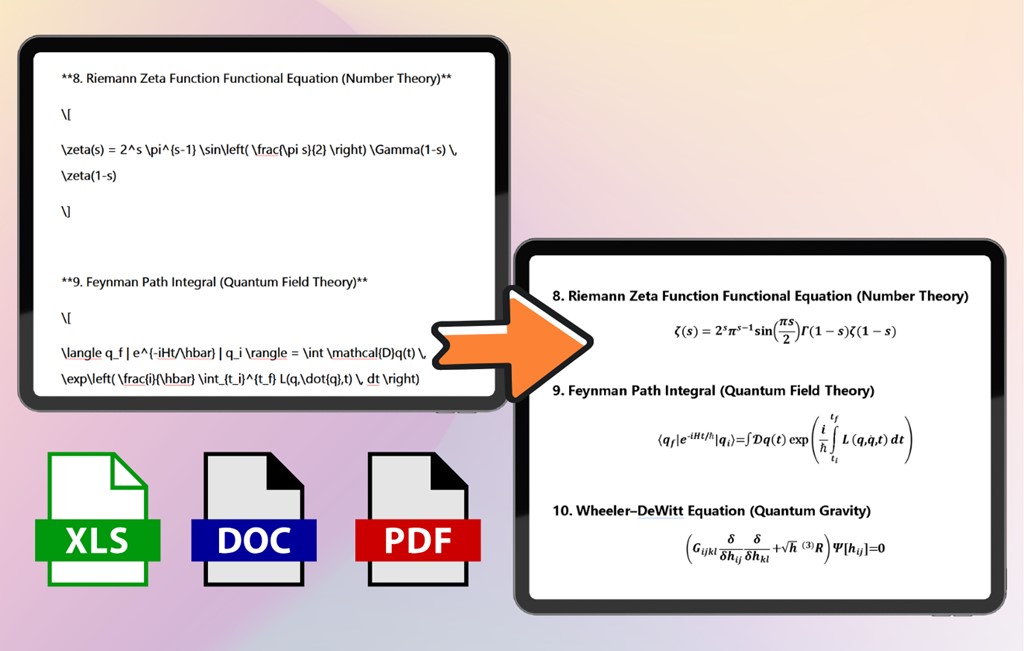
Smart error fixingAI-optimized5 output
formatsWindows + iOS
Stop losing LaTeX formulas, Mermaid diagrams, and formatting when exporting from ChatGPT, Claude, Gemini, or DeepSeek. One click to polished documents.
Full-window converter with smart AI format repair. Now available on iPhone. Fixes errors before you export.
Need a quick conversion without installing anything? Our online tool uses the same powerful engine as the desktop apps.
Three seconds to a perfect document. Copy from any AI chat, paste into the online tool, and export as Word, PDF, Excel, image, or plain text.
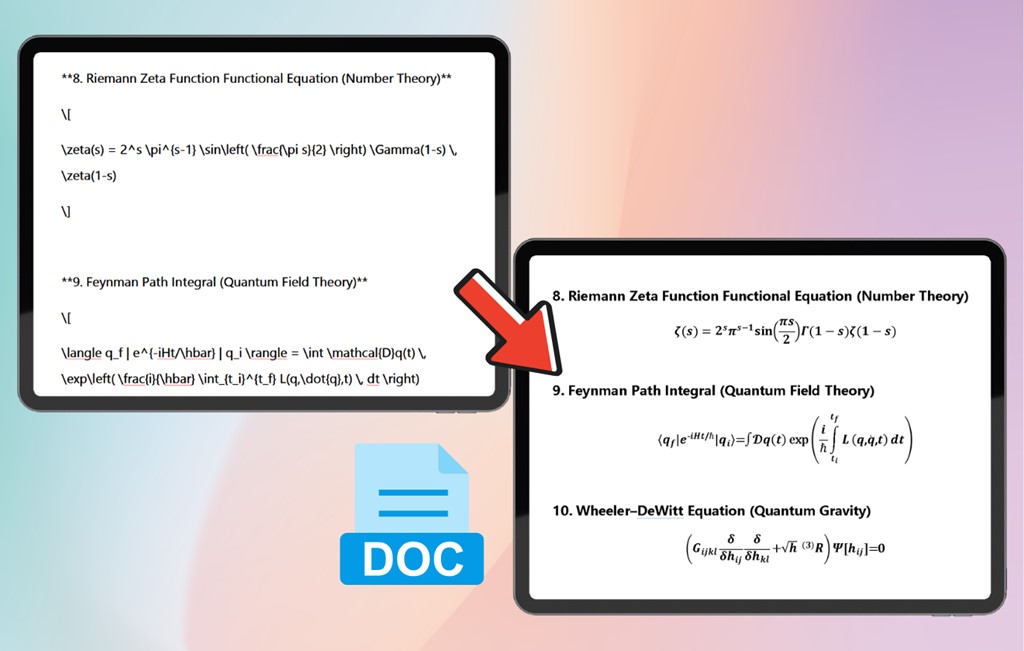
Every day, millions of people copy AI responses into documents — and lose the very things that made the AI output valuable.
LaTeX code like $\int_0^1 x^2 dx$
appears as raw text instead of rendered math.
Mermaid flowcharts, sequence diagrams, and architecture graphics vanish when pasted into Word or Google Docs.
Headings, bullet lists, code blocks, and tables lose all structure. Hours of manual reformatting follow.
Researchers, developers, and analysts spend more time fixing exports than actually using the AI content they need.
Three capabilities that set us apart from copy-paste, browser extensions, and generic Markdown converters.
Every LaTeX formula is parsed with high precision and rendered perfectly in your exported document.
$\int_{0}^{\infty} e^{-x^2} dx = \frac{\sqrt{\pi}}{2}$
Raw LaTeX code displayed as text
∫₀^∞ e^(-x²) dx = √π / 2
Perfectly rendered mathematical formula
Export to Word, PDF, Excel, images, or plain text. All from a single paste operation.
AI-generated Mermaid diagrams are automatically detected, rendered as vector graphics, and embedded into your document.
graph TD; A[Start] --> B{Decision}
Raw Mermaid code, no visual
Clear, professional diagram
Two tools, same core engine. Pick based on how you work with AI.
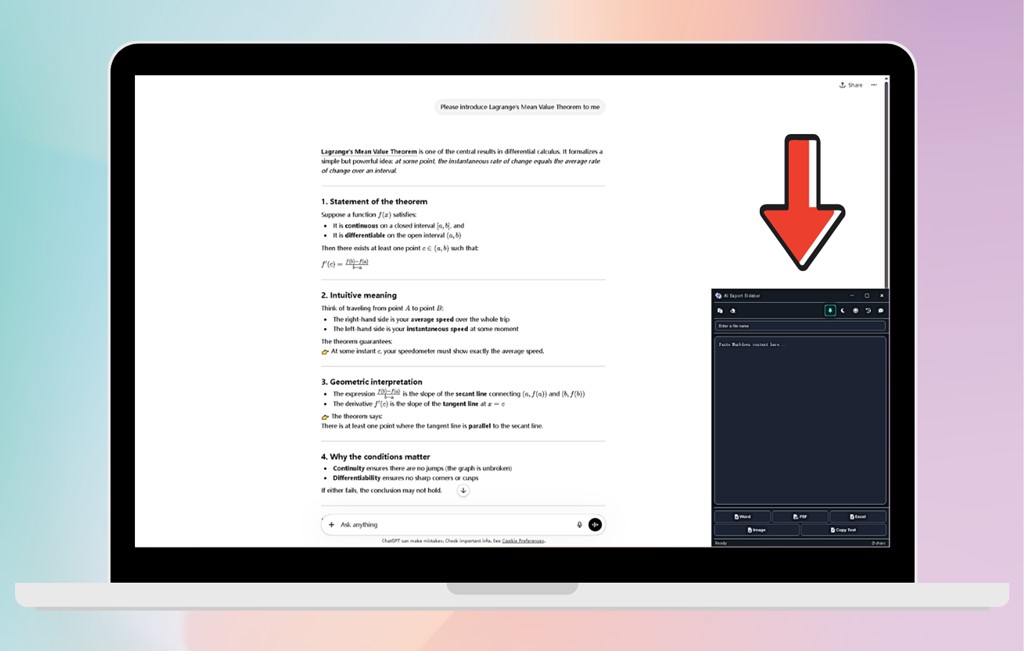
Docks to the bottom-right corner. No alt-tabbing needed.
Copy, paste, export — without leaving your current tab.
ChatGPT, Claude, Gemini, DeepSeek, Kimi.
English, Chinese, Japanese, Korean, French, German, Spanish, and more.
The only AI export tool designed as a non-intrusive sidebar. It lives alongside your AI chat without requiring window switches.
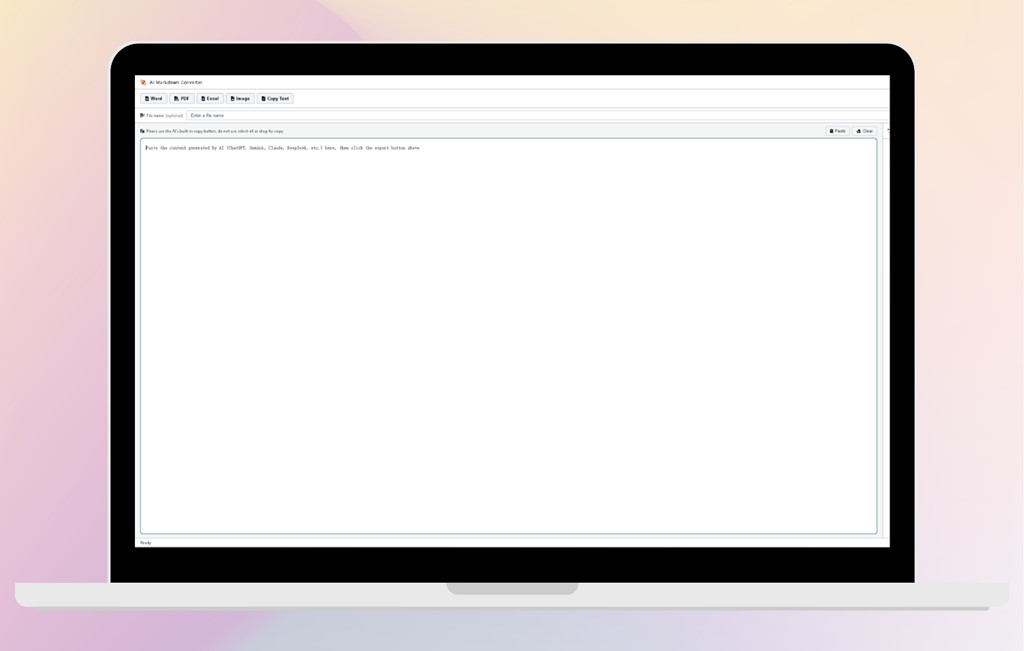
Automatically detects and repairs AI-generated LaTeX and Mermaid syntax errors before export.
Engineered for ChatGPT, Claude, Gemini, DeepSeek, and Kimi output patterns.
Content encrypted during transmission and immediately destroyed after conversion.
Same smart repair engine, now on iOS. Export AI chats on the go with your iPhone.
The only AI export tool with a smart error-fixing engine, available on both Windows and iOS. Auto-repairs AI formatting defects on desktop and mobile.
From academic research to software documentation, these tools save hours every week.
Convert AI-assisted paper drafts to Word with every complex formula intact.
Export technical docs with code blocks and Mermaid architecture diagrams in seconds.
Transform AI-generated reports into polished PDF or Excel files.
Turn AI-generated outlines into beautifully formatted documents.
Select the response from any AI assistant and copy it.
Open your export tool and paste. LaTeX and Mermaid are auto-detected.
Select Word, PDF, Excel, image, or text. Click export.
Open the file, share it, or go back to your AI conversation.
The iPhone version of AI Markdown Converter processes everything locally on your device.
Encrypted cloud processing. Content destroyed after conversion.
Never used for model training or sold to third parties.
Copy your ChatGPT conversation, paste it into AI Export Sidebar or AI Markdown Converter, and click the Word export button. Read the full guide →
AI uses LaTeX syntax. When pasted into Word, it's treated as plain text. Our tools render LaTeX into Word's native equation format before export.
Yes. Our tools detect Mermaid code, render as vector graphics, and embed them directly into Word or PDF.
AI Markdown Converter iOS processes everything locally on your device. Desktop tools use encrypted cloud processing; content is destroyed after conversion.
AI Export Sidebar is a floating window for uninterrupted workflows. AI Markdown Converter is a full-window app with a smart error-fixing engine, available on Windows and iOS. Both export to the same five formats.
Yes. AI Markdown Converter is now available on the Apple App Store. The iOS version includes the same smart repair engine and supports all five export formats.
Download an AI export tool today. Copy from ChatGPT, paste, and get a perfect document in seconds.