AI Markdown Converter — The Smart AI Export Tool with Format Repair
AI isn't perfect — it generates broken LaTeX and incomplete Mermaid syntax. This tool automatically detects and repairs those errors, then exports your content to perfectly formatted Word, PDF, Excel, images, or text. Available on Windows desktop and iPhone.
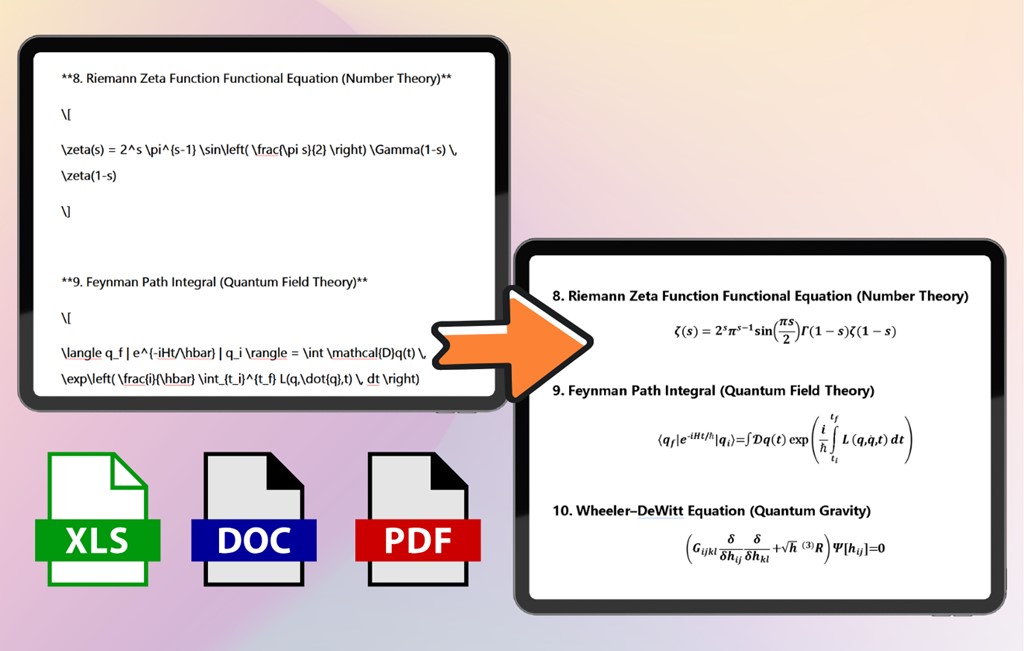
Smart AI Format Repair Engine
AI assistants are powerful, but they're not perfect. The format repair engine handles the imperfections they leave behind.
LaTeX Syntax Error Detection
AI sometimes generates LaTeX with mismatched braces, missing delimiters, or incorrect command syntax. The repair engine identifies these issues and corrects them before rendering — so your formulas always compile correctly.
Mermaid Diagram Fixing
Incomplete Mermaid syntax — missing node definitions, broken connections, or invalid chart types — is automatically repaired. Your flowcharts, sequence diagrams, and Gantt charts render correctly even when the AI's output was imperfect.
Built Specifically for AI Output
Generic Markdown converters fail on AI content because they don't understand LaTeX or Mermaid. This tool is engineered from the ground up for the output patterns of ChatGPT, Claude, Gemini, DeepSeek, and Kimi.
Cross-Platform: Windows + iOS
Use the same powerful conversion engine on Windows desktop and iPhone. Desktop version uses encrypted cloud processing; iOS version processes everything on-device for maximum privacy.
Everything AI Export Sidebar Does — Plus Smart Repair
Extreme LaTeX Formula Compatibility
Whether it's basic inline equations or complex multi-line matrices with integrals and summations — every formula is parsed and rendered perfectly in Word, PDF, and images.
- Inline and block-level formulas
- Matrices, multi-line equations, calculus
- Chemical equations and physics notation
Pixel-Perfect Mermaid Charts
Flowcharts, sequence diagrams, Gantt charts, and class diagrams are rendered as high-fidelity vector graphics and embedded directly into your document.
- Automatic Mermaid detection
- High-resolution vector output
- Embedded in document, not separate file
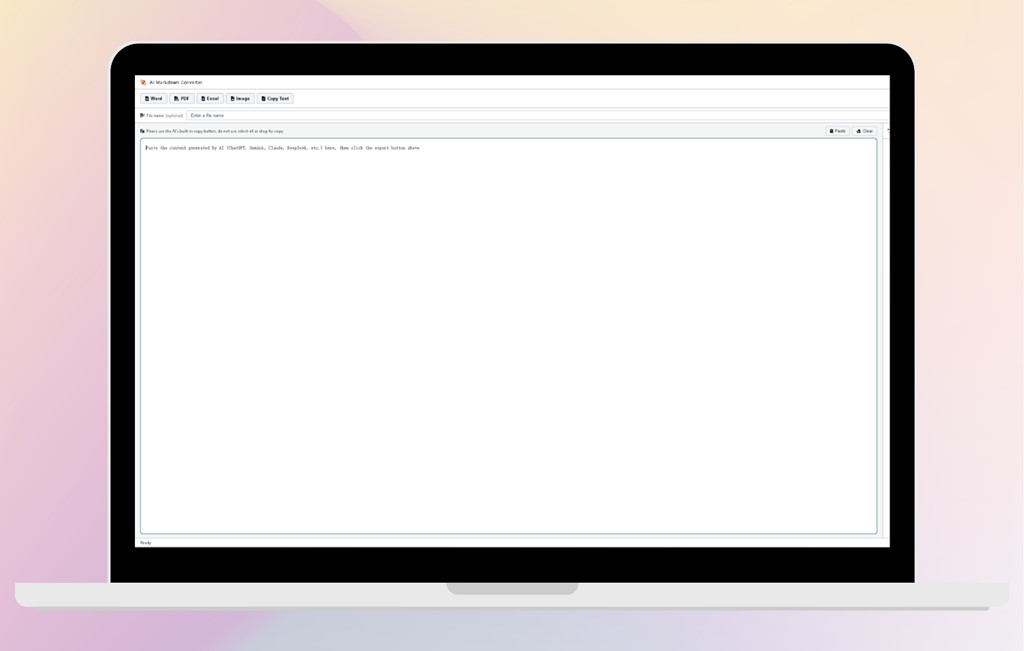
Five Formats, One Paste
Word for editing, PDF for sharing, Excel for data, images for presentations, text for quick reference. All from a single paste operation.
Windows Desktop + iPhone
Windows Desktop
Full-window application with smart format repair engine. Encrypted cloud processing with zero storage. Available on Microsoft Store.
Get from Microsoft StoreiPhone App
Same smart repair engine on iOS. 100% on-device processing for maximum privacy. Export AI chats on the go.
Get from App StoreFrequently Asked Questions
What is the smart format repair engine?
AI assistants sometimes generate LaTeX formulas with syntax errors (mismatched braces, missing delimiters) or incomplete Mermaid diagram code (missing node definitions, broken connections). The smart format repair engine automatically detects these common defects and fixes them before export, so you get clean, correct output without manual debugging.
How is this different from generic Markdown converters?
Generic Markdown converters treat LaTeX as plain text and cannot render Mermaid diagrams at all. AI Markdown Converter is specifically engineered for AI output patterns — it understands LaTeX syntax natively, renders Mermaid into vector graphics, and includes the format repair engine to handle AI-specific imperfections that other tools simply fail on.
How is this different from AI Export Sidebar?
Both tools share the same LaTeX and Mermaid rendering engine and export to the same five formats. The difference: AI Export Sidebar is a compact floating window for uninterrupted workflows. AI Markdown Converter is a full-window application with the smart error-fixing engine — ideal when you need maximum conversion accuracy. It is also available on iOS. Learn more about AI Export Sidebar →
Is there an iOS version?
Yes. AI Markdown Converter is available on the Apple App Store. The iOS version includes the same smart repair engine and all five export formats. Processing happens entirely on your device for maximum privacy.
Is my data safe?
Windows version: Content is transmitted over encrypted connections (HTTPS), processed
on secure servers, and immediately destroyed after conversion.
iOS version: All
processing happens on your device. No data is ever uploaded to any server.
We never store your
conversations, exported documents, or any personal data. Nothing is used for model training or shared
with third parties. Learn more about privacy →
Download AI Markdown Converter
Stop debugging broken AI formatting. Let the smart repair engine handle it.